Skip to content

CityFibre - Service Diagnostics API

Introduction

This documentation provides information on the Service Diagnostics API and how to access it.

Please note:

In this document, we use Buyer and Supplier for the Service Provider / CityFibre respectively and Reporter as the person within the Buyers Organisation.

This document describes the messages which can pass between Buyer and Supplier, and the various status changes and updates for diagnostic requests though-out the process.

Design Overview

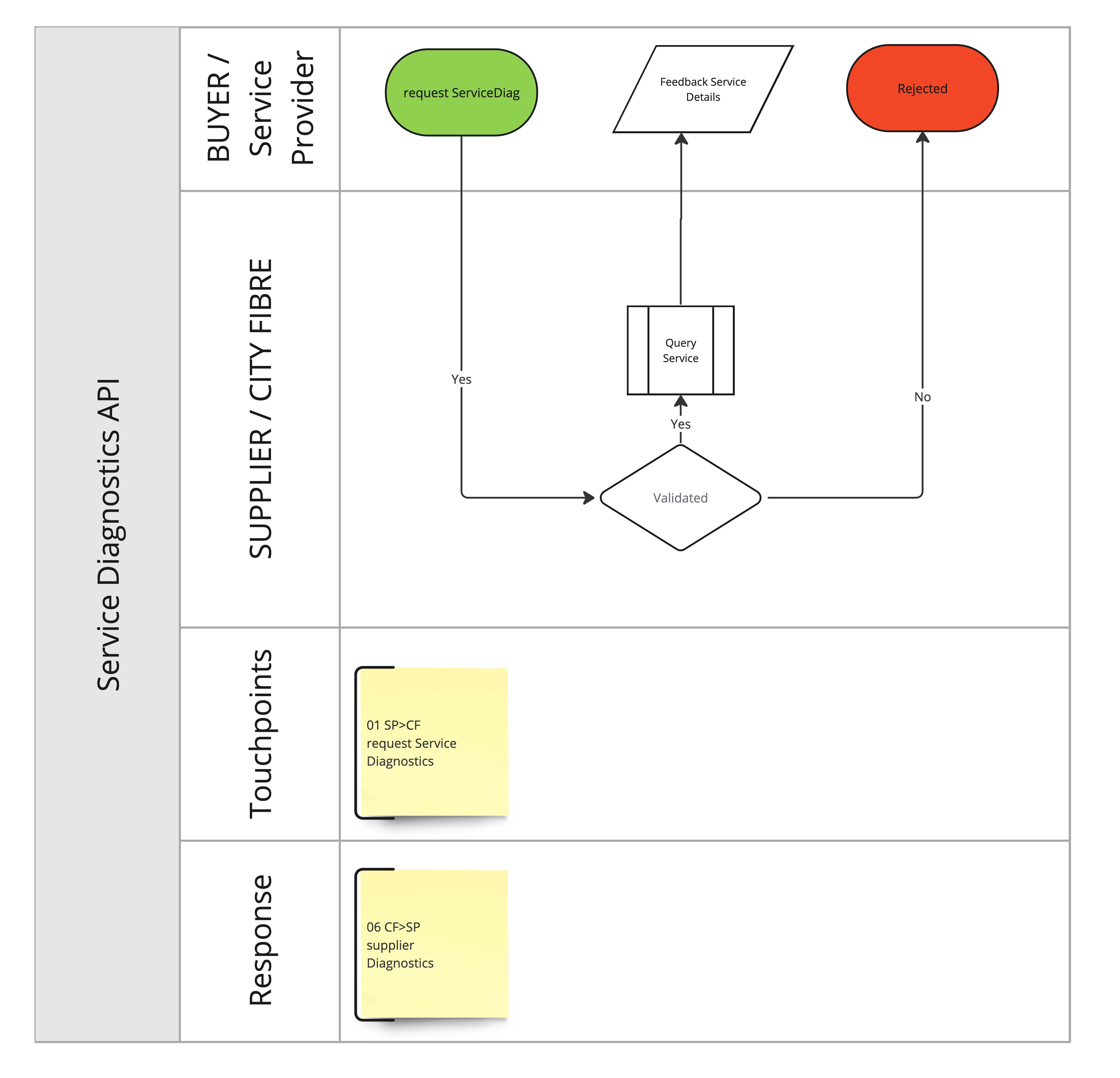
See diagram Diagnostic_API_v1.1 for an overview of the flow.

Diagnostic API v1.1
Diagnostic API v1.1

Accessing the API

The API is accessed via HTTPS. Calls are made by POST, sending XML as the HTTP body.

Messages are exchanged using SOAP exchanges over HTTPS POST, where the request is in the POST body and the response is in the HTTP response body. Messages are encapsulated in a SOAP envelope using Document/Literal style following WS-Basic Profile 1.0.

<soap:Envelope xmlns:soap="http://schemas.xmlsoap.org/soap/envelope/">
    <soap:Body>
         ... single request or response element goes here ...
    </soap:Body>
</soap:Envelope>

Integration Environments

CityFibre provides two pre-production environments for the Buyer to integrate with, to allow the Buyer to test the API endpoint before going live.

Authentication

Authentication is handled in the same way as the Order API and the authentication details provided apply to this API endpoint.

Below are the details for these environments:

Download OpenAPI description
Languages
Servers
Mock server
https://service-diagnostics.docs.cityfibre.com/_mock/openapi
Main (production) server
https://api-gw.cityfibre.com:41223/prod/api2
CFStaging server
https://api-gw.cityfibre.com:41223/cfstaging/api2
CFSit server
https://api-gw.cityfibre.com:41223/cfsit/api2

The Buyer can request diagnostic information for a serviceId reported in the request. The request will come synchronously and contain the serviceDiagnostic information.

The response to a requestServiceDiagnostics call contains the current state of the service and the utilisation status of the network path during the last busy period.

Operations
Operations

Get the XSD for the Service Diagnostics

No request payload
Operations